

 Sheetpane for Jira Cloud and Google Sheets
Jira work items in Google Sheets, kept up to date.
Sheetpane pulls the Jira work items you choose into Google Sheets with JQL, then refreshes them every hour or every day. Each person connects with their own key, so a sheet only gets work items its owner can open in Jira.
Free for Jira sites with up to 10 users. The Google Sheets add-on is free. No Atlassian API tokens, and no servers of ours in between.
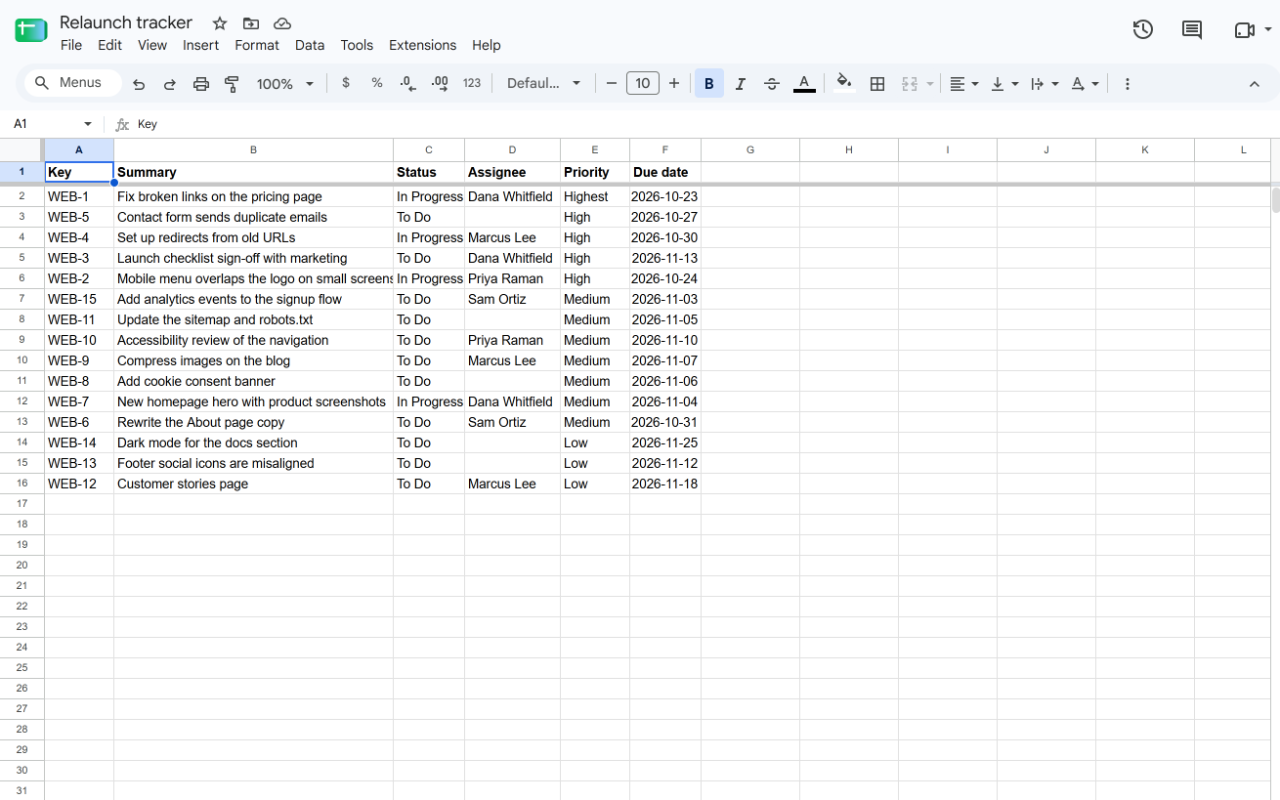
Reports that don't stop working
Any JQL, any field
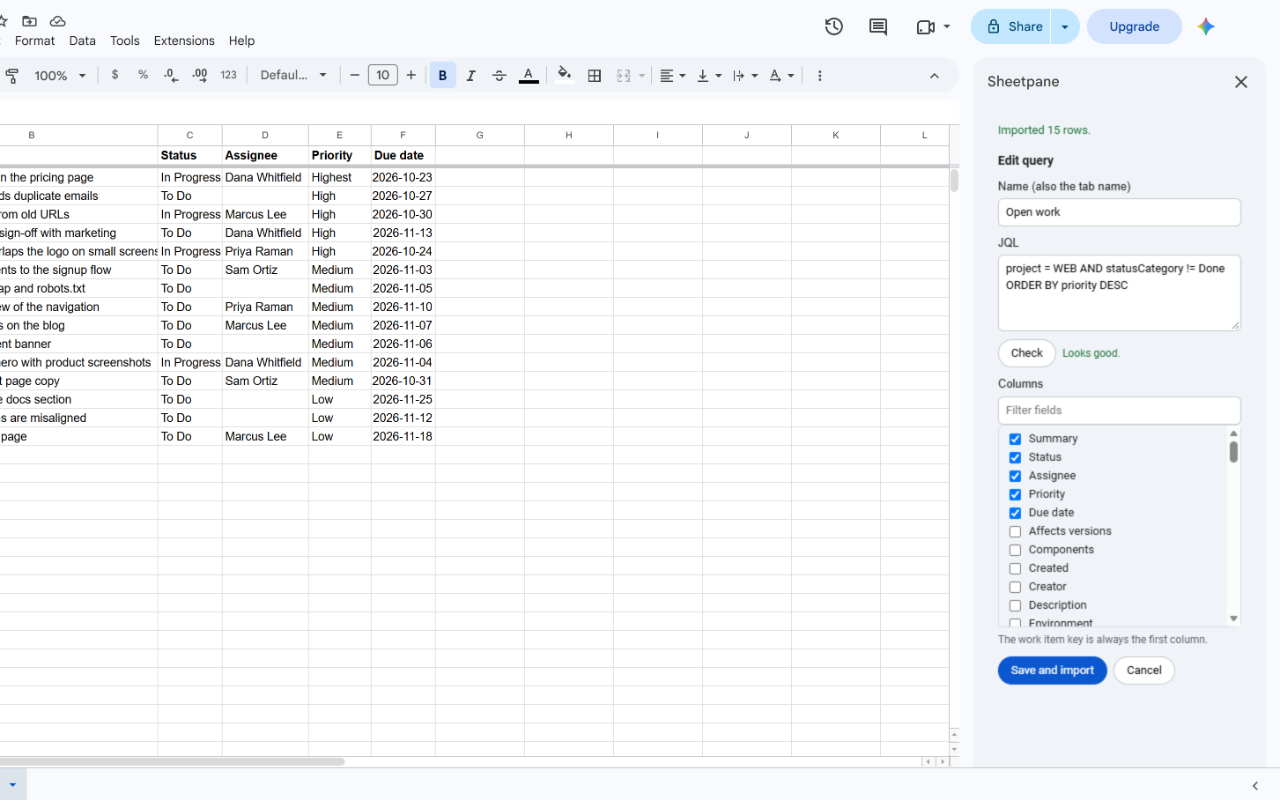
Write the query you already use in Jira and pick standard and custom fields. Each saved query fills its own tab.
Refresh on a schedule
Refresh now, or every hour or day while the spreadsheet is closed. Hourly runs fetch only the work items that changed.
Never fails silently
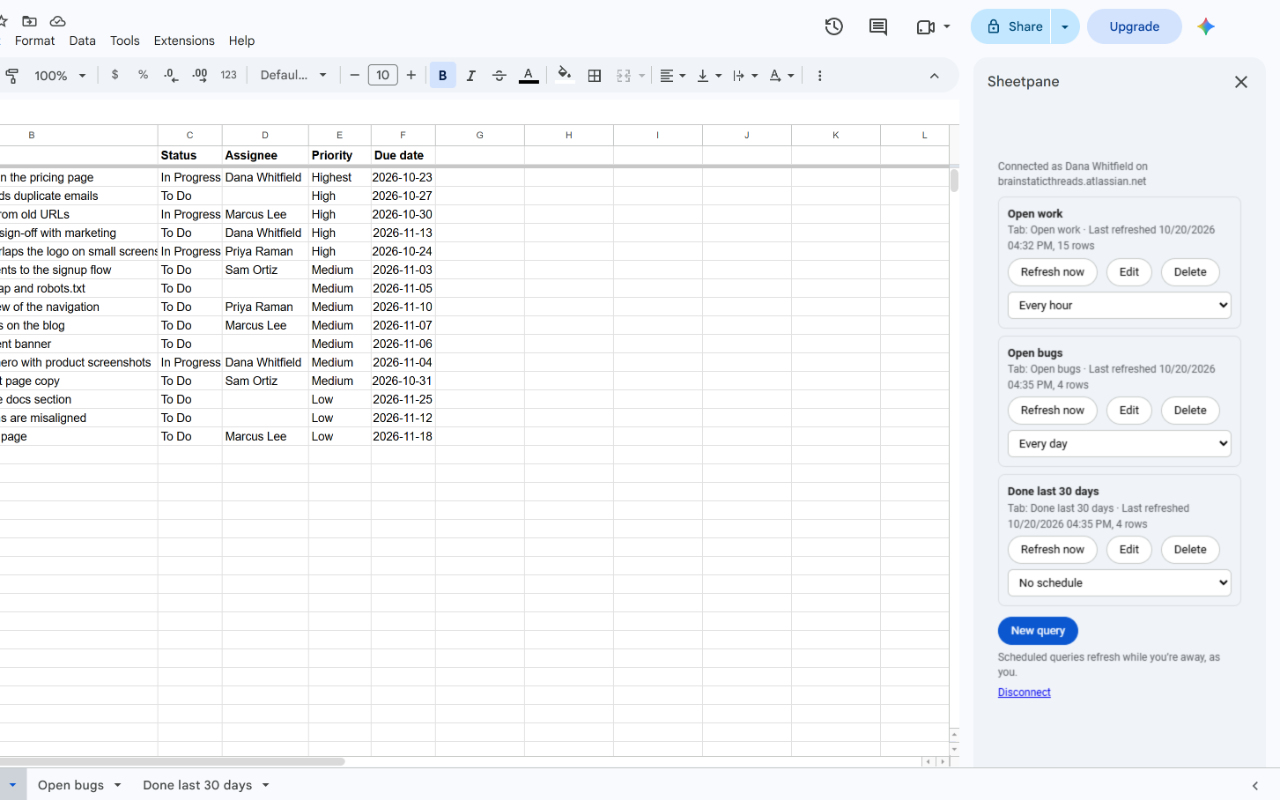
Every query shows when it last refreshed, how many rows it has, and what went wrong, in plain words, if something did.
Big queries welcome
Results are fetched in pages, so thousands of work items import without hitting Google's time limits.
Real dates and numbers
Dates arrive as spreadsheet dates in your spreadsheet's time zone, ready to sort, filter, chart and pivot.
Jira permissions apply
Queries run as the person who connected, so a sheet never gets work items they can't open in Jira.
From JQL to a tab in a minute
Create a key in your Jira settings, paste it into the Sheetpane sidebar in Google Sheets, and write your JQL. Click Check to see Jira's own explanation of any mistake, pick the columns, and import.
Set it and leave it
Choose Every hour or Every day for any query. Scheduled refreshes run in the background, as you, even when nobody has the spreadsheet open. Once a day Sheetpane reloads the whole tab, so work items that no longer match drop out.
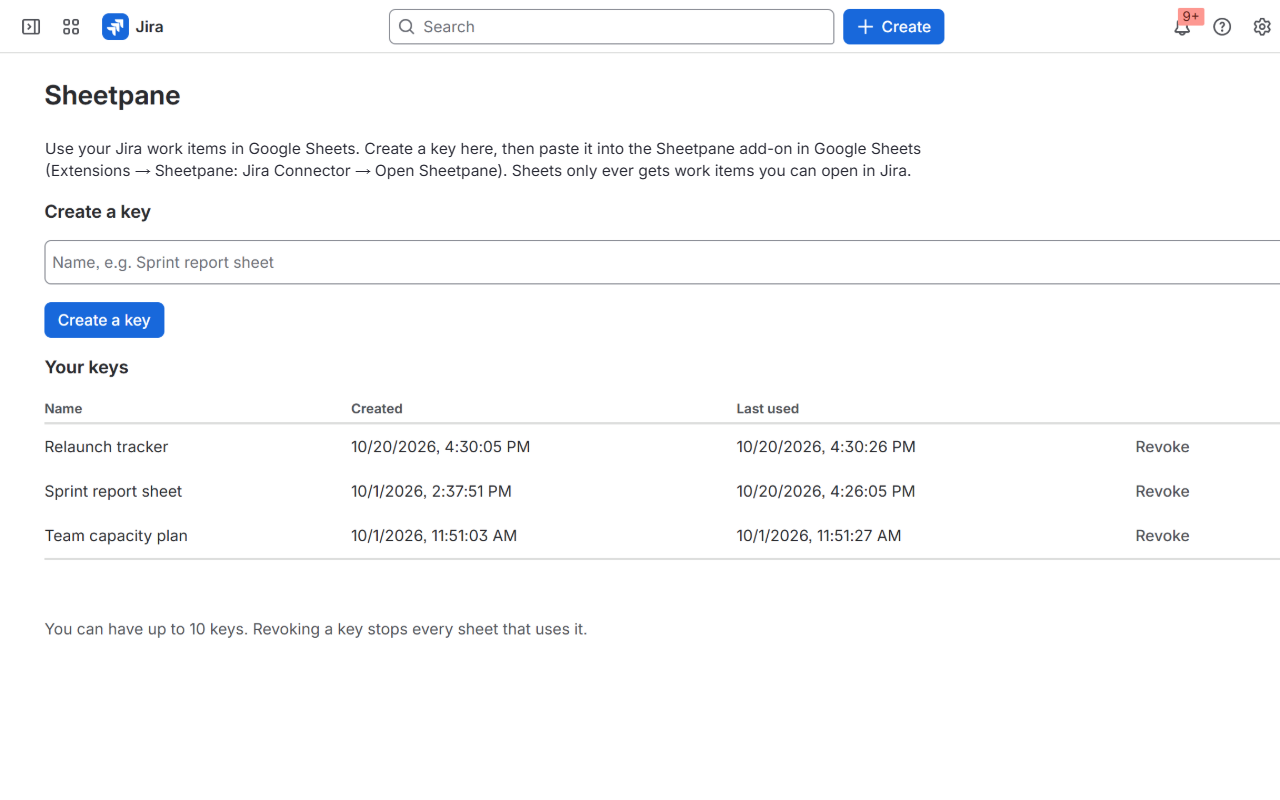
Keys people control, and a switch for admins
Each person creates and revokes their own keys in Jira and sees when each was last used. Jira admins can switch Sheetpane off for the site, see how much it's used, and revoke every key at once.
Security and privacy
- Runs on Atlassian Forge and Google Apps Script. No Brain Static Threads servers sit between Jira and your spreadsheet.
- Never asks for Atlassian API tokens or passwords. Sheetpane keys are shown once, stored only as hashes, and can be revoked at any time.
- Queries run as the person who connected, with their Jira permissions. Keys can only read.
- The Jira app stores no work item content: only key hashes, the admin switch and usage counts.
- In Google, Sheetpane can only use the spreadsheet you open it in. No access to your Drive, Gmail or other files.
- No analytics, advertising or tracking.
Anyone a spreadsheet is shared with can see its data, so share Sheetpane spreadsheets only with people who should see those work items.
Pricing
Up to 10 users
Free
Every feature, for small teams.
| Users on your Jira site | Per user, per month |
|---|---|
| 11–100 | $0.75 |
| 101–250 | $0.50 |
| 251–1,000 | $0.25 |
| 1,001 and up | $0.12 |
Billed through the Atlassian Marketplace for the Jira app. The Google Sheets add-on is free. All features are included at every tier.
Questions
What do I need?
Jira Cloud with Sheetpane for Jira installed by a Jira admin, and Google Sheets in a desktop browser with the free Sheetpane add-on.
How is this different from Atlassian's free Jira Cloud for Sheets?
Sheetpane shows every query's last refresh and any error in the sidebar, pages through large results, and gives Jira admins a switch, usage numbers and key revocation. It has no 50-formula limit, because each query is a saved import rather than a formula.
Who can see the data in the spreadsheet?
Everyone the spreadsheet is shared with, like any other data in Google Sheets. Sheetpane only fetches work items the connected person can open in Jira, but it can't control who you share the spreadsheet with.
Does Sheetpane store our Jira data?
No. The Jira app passes the work items straight to your spreadsheet and keeps only key hashes, the admin switch and usage counts. Your data lives in Jira and in your spreadsheet. See the privacy policy.
Can I edit work items from the sheet?
Not yet. Sheetpane copies data from Jira to Google Sheets. Sheetpane rewrites its own tabs when it refreshes, so put formulas, charts and pivot tables on other tabs.
How often can it refresh?
As often as you click Refresh now, and every hour or every day on a schedule. Google doesn't let add-ons run on their own more often than once an hour.
Does it work with Jira Data Center or Excel?
No. Sheetpane is built on Atlassian Forge, which is for Jira Cloud, and the add-on is for Google Sheets.
When can I install it?
Sheetpane is being prepared for the Atlassian Marketplace and the Google Workspace Marketplace. Email support@brainstaticthreads.com if you'd like to hear when it launches.
Jira is a trademark of Atlassian. Google Sheets and Google Workspace are trademarks of Google LLC. Sheetpane isn't made or endorsed by Atlassian or Google.