

 Specpane for Confluence Cloud
Your API docs, live inside Confluence.
Specpane renders OpenAPI specs as interactive documentation on any Confluence page, straight from a page attachment or your GitHub, GitLab or Bitbucket repository.
Free for teams of up to 10 users. Supports OpenAPI 3.1, 3.0 and Swagger 2.0.
Everything API docs need, nothing they don't
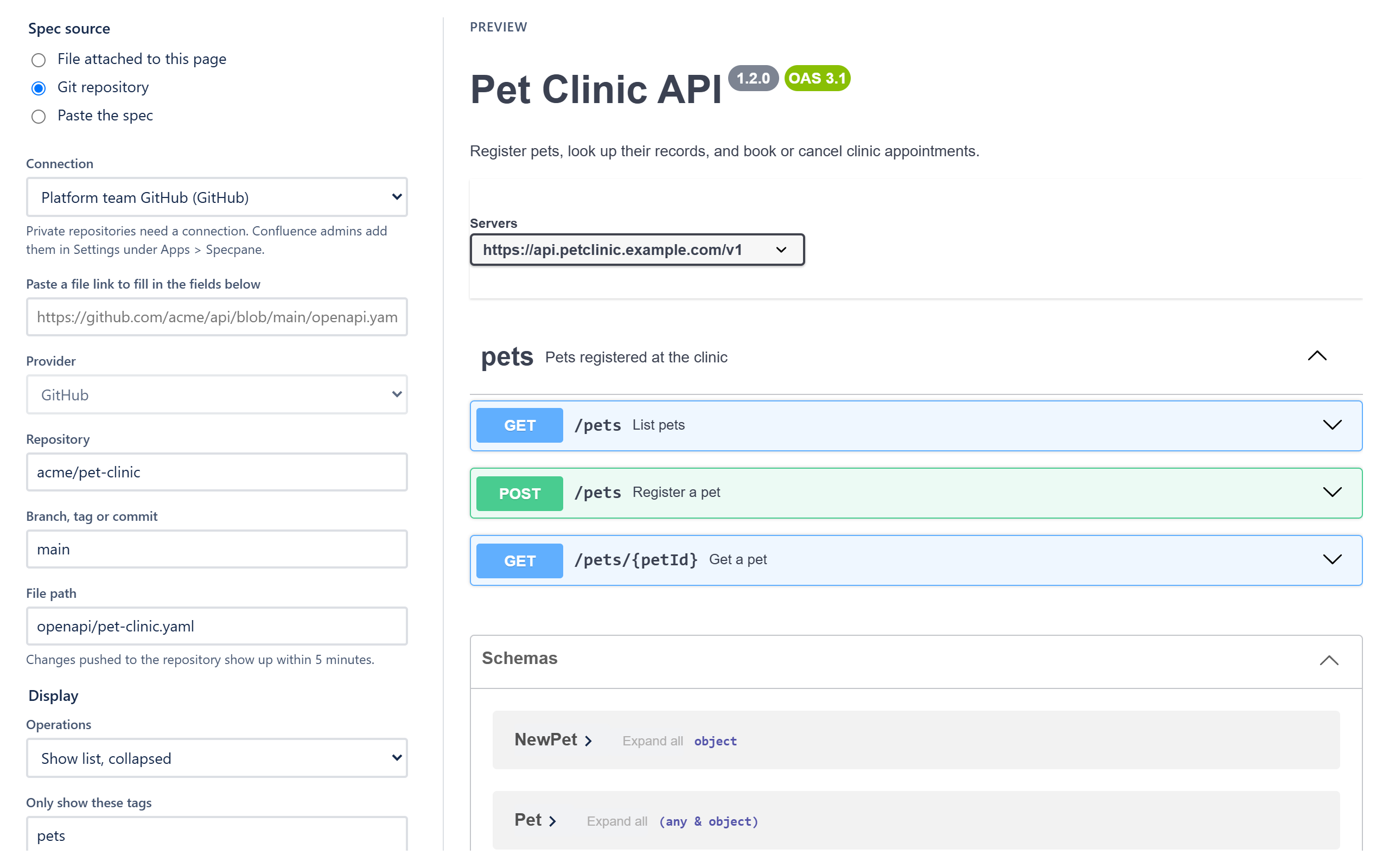
Straight from Git
Paste a link to a file on GitHub, GitLab or Bitbucket Cloud. Pages pick up changes within five minutes of a push.
Private repositories, safely
Admins add access tokens once. They're stored encrypted on Atlassian's platform and never sent to the browser.
See it before you save
A live preview in the settings dialog shows exactly what readers will get, before the page is published.
Attach or paste
For internal APIs that aren't in a repository, attach a YAML or JSON file to the page, or paste a small spec directly.
Show what matters
Filter by tag, hide servers or schemas, choose how much is expanded, and put as many viewers on a page as you need.
Exports that make sense
PDF and Word exports turn each viewer into readable tables of endpoints instead of an empty box.
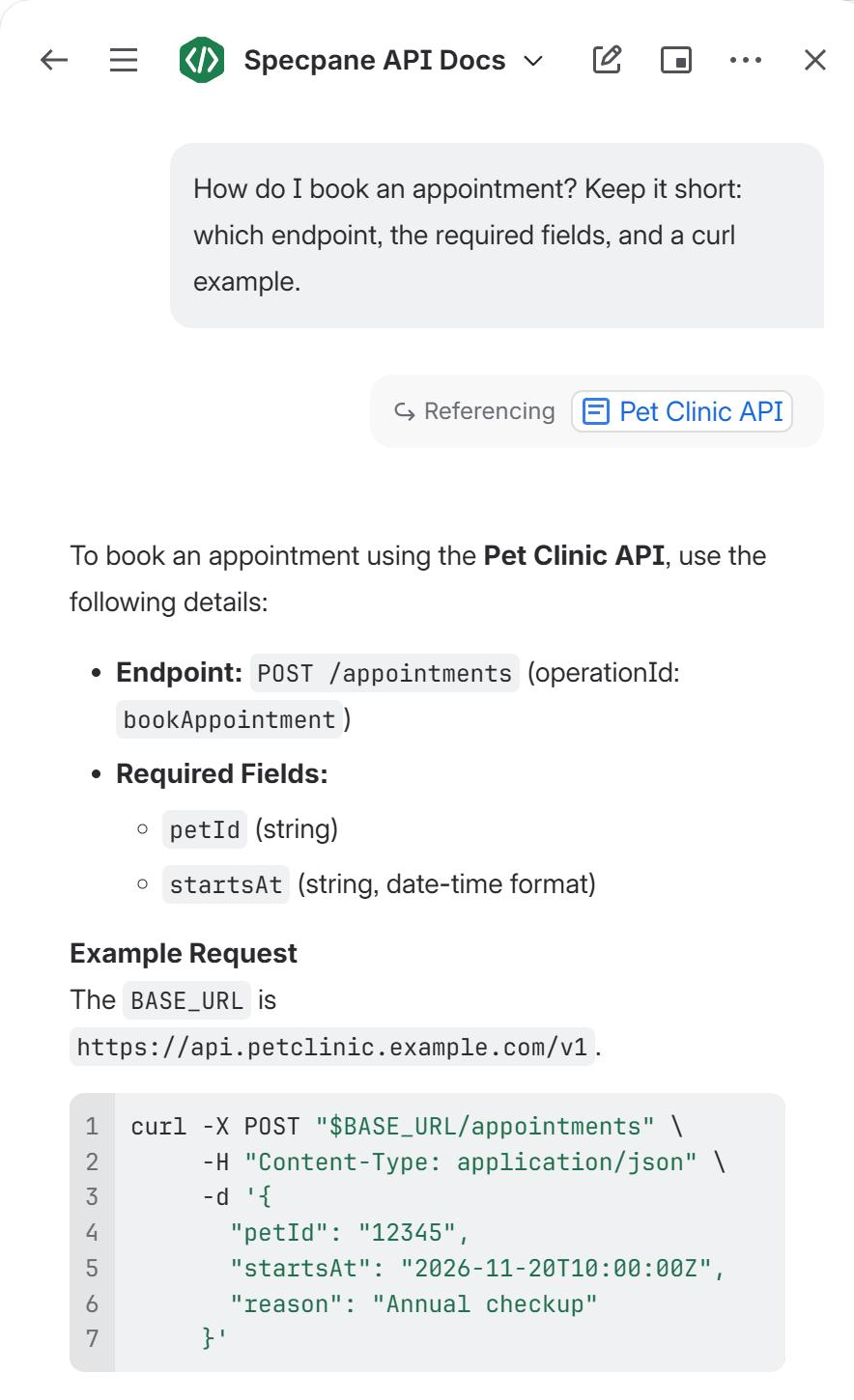
Ask Rovo about your API
The Specpane API Docs agent answers questions in Rovo chat from the specs on your pages: which endpoint to use, what a request needs, which responses to expect and how to authenticate. It writes example requests in curl or the language you ask for.
It reads specs with the permissions of the person asking, and never calls your API or changes the page. The agent needs Rovo on your site. It's included with Specpane, and Rovo counts its use like any other agent's.
Interactive docs readers can explore
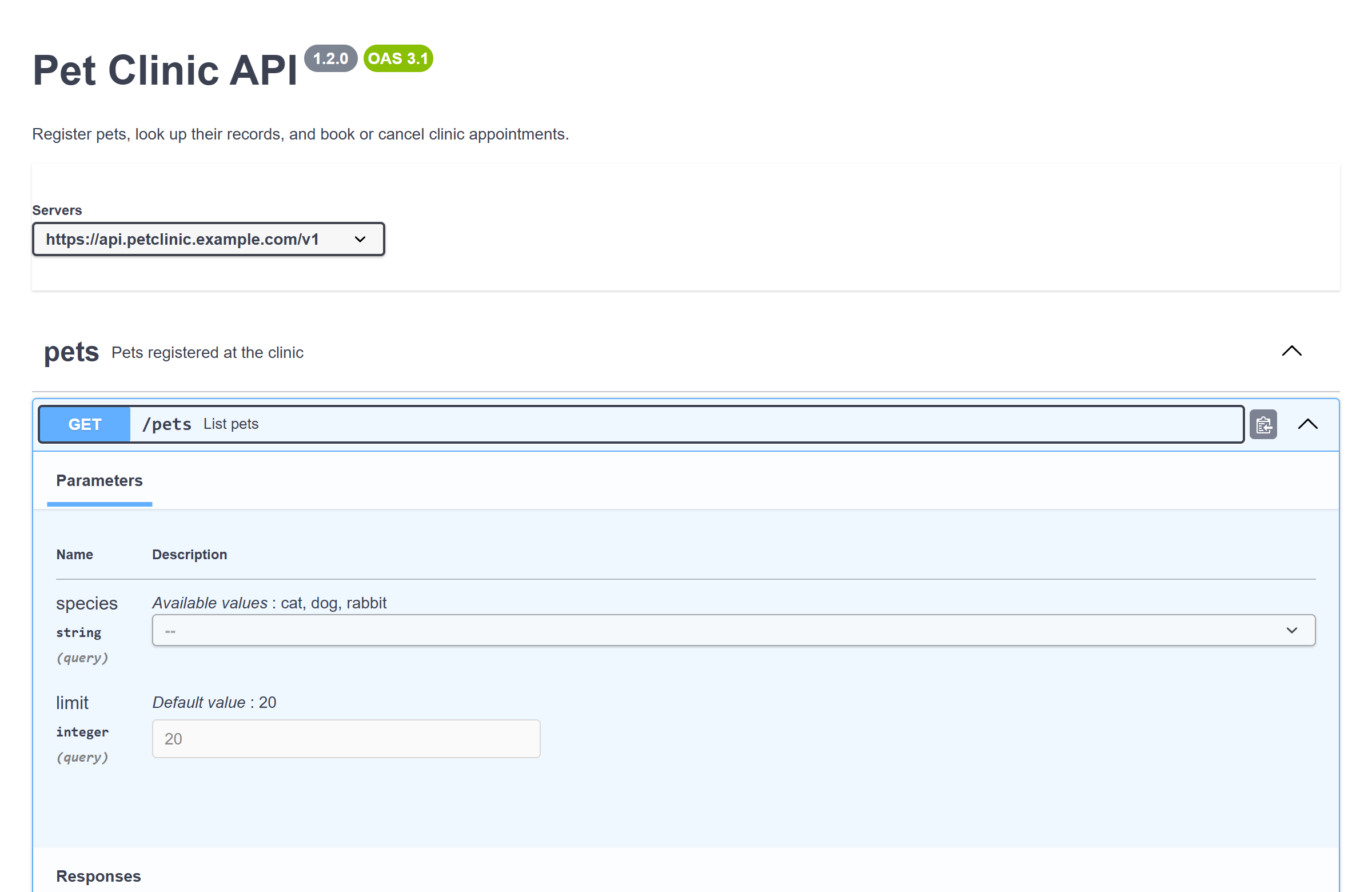
Operations, parameters, responses and schemas in the familiar Swagger UI layout, right in the page. Readers don't need another tool or another login.
Admins stay in control
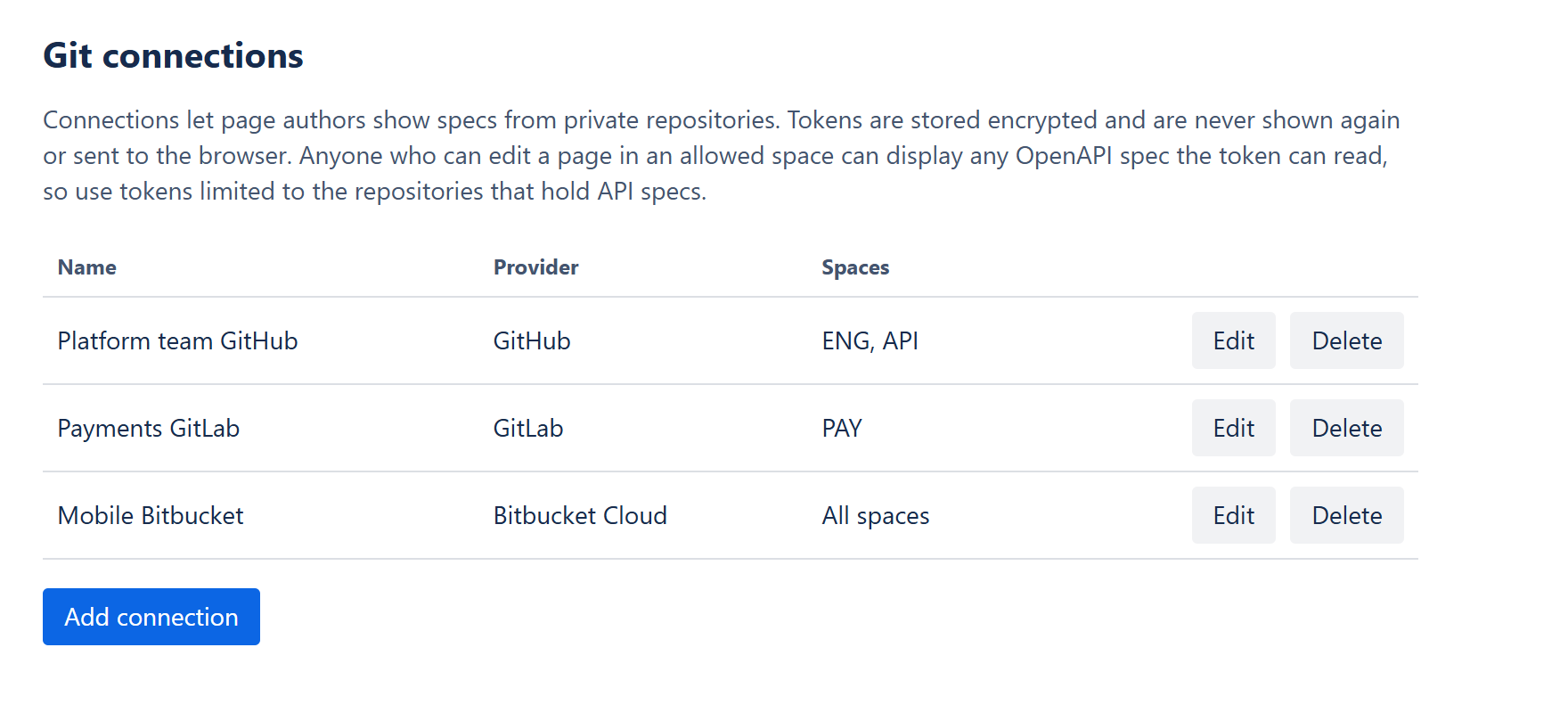
Only Confluence administrators can add Git connections, and each connection can be limited to specific spaces. Specpane enforces that on its backend, not just in the interface.
Security and privacy
- Runs entirely on Atlassian Forge. There are no Brain Static Threads servers.
- Page attachments are read with the viewer's own Confluence permissions.
- The Rovo agent reads pages and specs as the person asking, so it never answers from a spec they can't open. It only reads.
- Access tokens are stored as encrypted Forge secrets, and only the backend reads them.
- The only outside services Specpane contacts are GitHub, GitLab and Bitbucket, and only when a page uses them.
- No analytics, advertising or tracking.
Pricing
Up to 10 users
Free
Every feature, for small teams.
| Users on your site | Per user, per month |
|---|---|
| 11–100 | $0.25 |
| 101–250 | $0.15 |
| 251–1,000 | $0.08 |
| 1,001 and up | $0.04 |
Billed through the Atlassian Marketplace. All features are included at every tier.
Questions
Which spec formats does Specpane support?
OpenAPI 3.1 and 3.0, and Swagger 2.0, as YAML or JSON.
Can it show specs from private repositories?
Yes. A Confluence admin adds a connection with a read-only access token for GitHub, GitLab or Bitbucket Cloud, and page authors pick it when they set up a viewer. Public repositories work without a connection.
Where is my data stored?
On Atlassian's platform. Specpane keeps connection details and encrypted tokens in Forge storage, and caches specs fetched from Git for up to five minutes. For the Rovo agent, it notes which Git files each page shows (never their content or tokens). Attachments are read when a page is viewed and aren't stored.
What do I need for the Rovo agent?
Rovo on your Confluence site. The Specpane API Docs agent is then in Rovo's agent list, at no extra cost from Specpane; Rovo counts its use like any other agent's. Ask it from a page with a Specpane viewer, or link the page in your question. Specs from a private Git connection become available to it once someone has viewed the page. Sites without Rovo see no difference.
Why is there no "Try it out" button?
Confluence's security policy blocks requests from inside a page to other servers, so the button would always fail. Specpane hides it rather than show something that can't work.
Does it work with Confluence Data Center?
No. Specpane is built on Atlassian Forge, which is for Confluence Cloud.
How do I install it?
From the Atlassian Marketplace: a Confluence admin clicks Try it free. Every plan starts with a 30-day free trial, and sites with up to 10 users stay free.